How I Built an AI-Powered Lead Qualification & Routing System in n8n (Production-Ready)
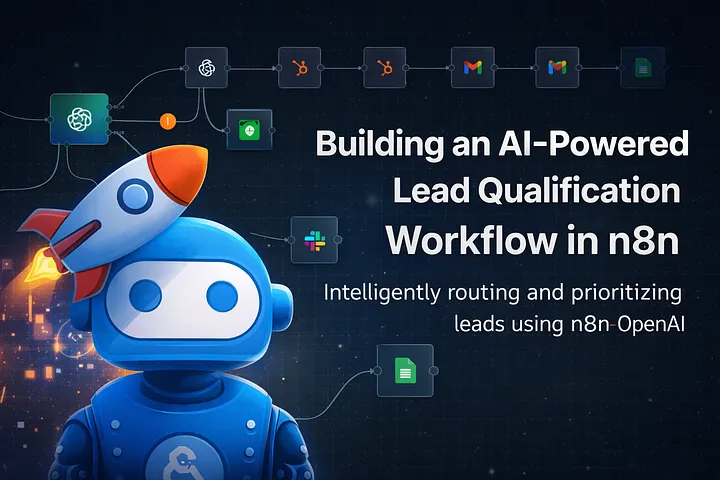
This is Project 2 in my n8n + AI automation portfolio. Like Project 1, the goal wasn't just to make something work — it was to make it safe, observable, and client-ready.
Why I built this 🤔
Inbound lead handling looks simple on the surface, but quietly bleeds time and revenue when it's done poorly. The same problems show up on most teams I see:
- Every inbound form submission lands in the same inbox.
- Sales teams manually read and triage leads.
- CRMs get cluttered with low-intent or irrelevant entries.
- Follow-ups are either delayed, generic, or forgotten.
I wanted a realistic, production-grade lead pipeline that uses AI to understand intent (not just keywords), scores leads safely without breaking downstream systems, routes high-intent leads instantly, and keeps humans in the loop where it actually matters. All built inside n8n, using patterns I actually deploy for clients.
What this system does, at a glance 🔎
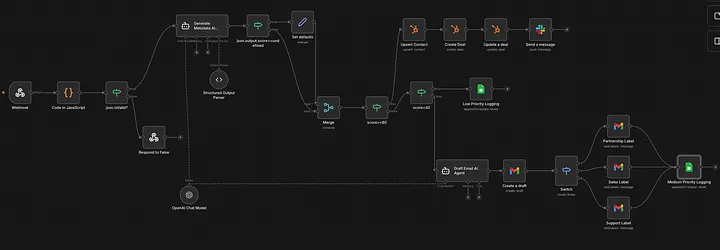
- Accepts inbound leads via a public webhook.
- Validates and normalizes incoming data.
- Uses AI to score and classify intent.
- Applies strict guardrails to the AI's output.
- Routes leads based on priority.
- Integrates with CRM, Gmail, Slack, and Google Sheets.
Step 1: Production-safe webhook intake
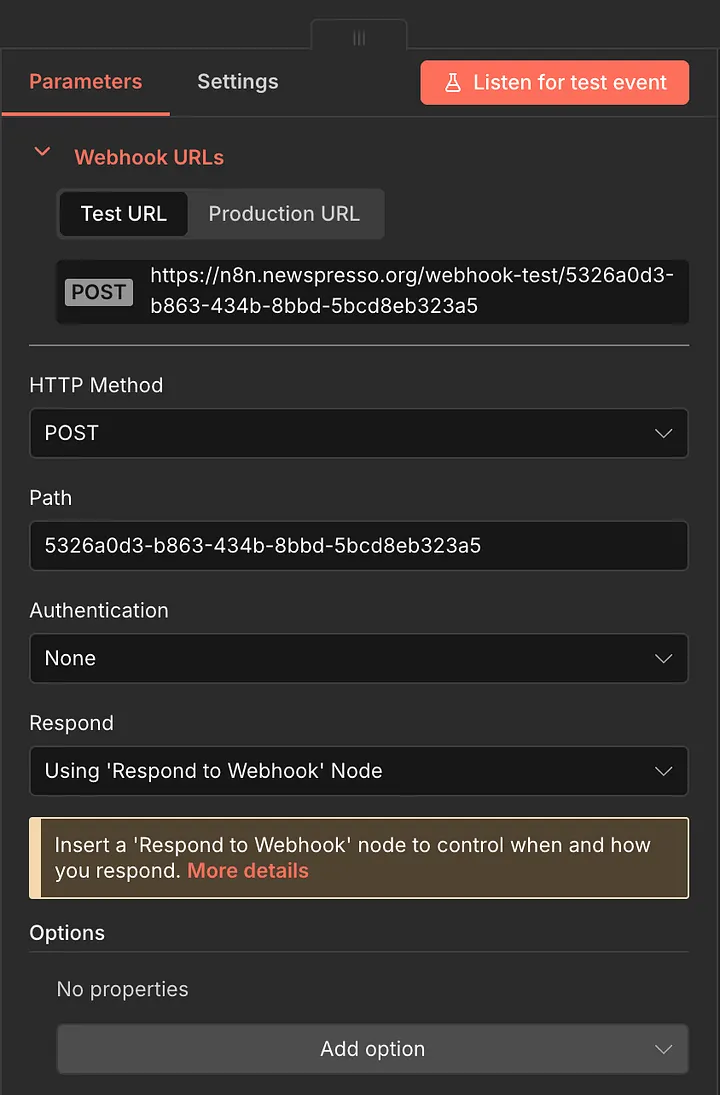
The workflow starts with a POST Webhook node exposed to the internet — an important design decision, since public webhooks are untrusted by default, easy to abuse, and a common source of silent workflow failures.
Instead of passing the payload straight into business logic, the webhook immediately forwards it to a Code node for validation and cleanup. A sample POST request looks like this:
{
  "name": "Kanishk Sharma",
  "email": "kanishk.sharma@fintechcorp.in",
  "source": "Website Contact Form",
  "message": "We are actively looking to automate our inbound sales and support workflows using AI. We receive around 3,000 leads per month and want lead scoring, CRM sync with HubSpot, automated email replies, and internal alerts. We have a budget approved and want to start implementation within the next 2-3 weeks. Please get back to us urgently."
}
Step 2: Validation, normalization & data hygiene
Inside the Code node, the goal is to make sure everything downstream is safe — this is an extension of the same pattern from an earlier post on building a production-safe webhook intake system in n8n. This node does three things.
1. Hard validation. Required fields — name, email, message, source — are validated explicitly. If validation fails, the workflow stops immediately, a clear HTTP 400 is returned, and no AI calls or external integrations ever fire.
if (!data.name || String(data.name).trim() === "") {
  errors.push("Name is required");
}

const email = data.email ? String(data.email).trim().toLowerCase() : "";
if (!email || !/^\S+@\S+\.\S+$/.test(email)) {
  errors.push("Valid email is required");
}

if (!data.message || String(data.message).trim() === "") {
  errors.push("Message is required");
}

if (!data.source || String(data.source).trim() === "") {
  errors.push("Source is required");
}
2. Normalization. Incoming values like lead source get lowercased, whitespace-trimmed, and converted into predictable formats early — which makes analytics, routing, and filtering much easier downstream.
const normalizedSource = data.source
  ? String(data.source).trim().toLowerCase().replace(/\s+/g, "_")
  : "";
const emailDomain = email.split("@")[1] || "";
const isBusinessEmail = emailDomain &&
  !["gmail.com", "yahoo.com", "outlook.com", "hotmail.com"].includes(emailDomain);
3. Metadata enrichment for AI. Before calling the AI, the workflow computes lightweight metadata — message length, business vs. personal email, email domain — which meaningfully improves AI decision quality without spending extra tokens.
const cleanedLead = {
  name: String(data.name || "").trim(),
  email,
  company: data.company ? String(data.company).trim() : "",
  message: String(data.message || "").trim(),
  source: normalizedSource,
  receivedAt: new Date().toISOString(),
  requestId: "req_" + Math.random().toString(36).slice(2, 9),
};

const metadata = {
  messageLength: cleanedLead.message.length,
  isBusinessEmail,
  emailDomain,
};

items[i].json.lead = cleanedLead;
items[i].json.metadata = metadata;
items[i].json.isValid = errors.length === 0;
items[i].json.errors = errors;
Step 3: AI-based lead scoring (with guardrails) 🤖
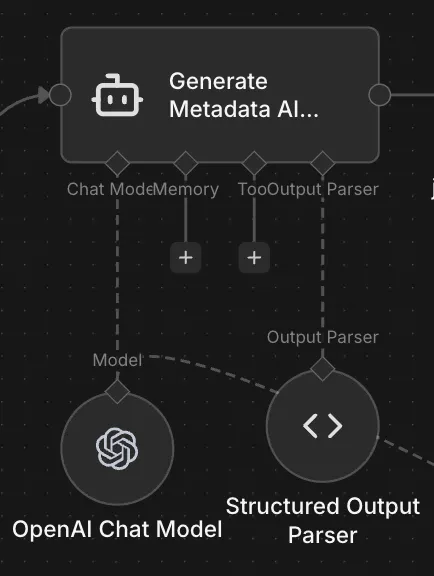
This is where a lot of AI automations fail in production. Instead of asking the LLM for free-form text, this workflow uses a LangChain Agent node, a strict structured output parser, and a predefined JSON schema. Using that parser, the AI is only ever allowed to return a numeric lead score (0-100), a fixed intent category (Sales, Support, Partnership, Spam), and a short internal summary — guaranteeing every downstream node always receives predictable data.
{
  "type": "object",
  "properties": {
    "score": {
      "type": "number",
      "minimum": 0,
      "maximum": 100
    },
    "intent": {
      "type": "string",
      "enum": ["Sales", "Support", "Partnership", "Spam"]
    },
    "summary": {
      "type": "string"
    }
  },
  "required": ["score", "intent", "summary"]
}
Step 4: Handling AI failure safely
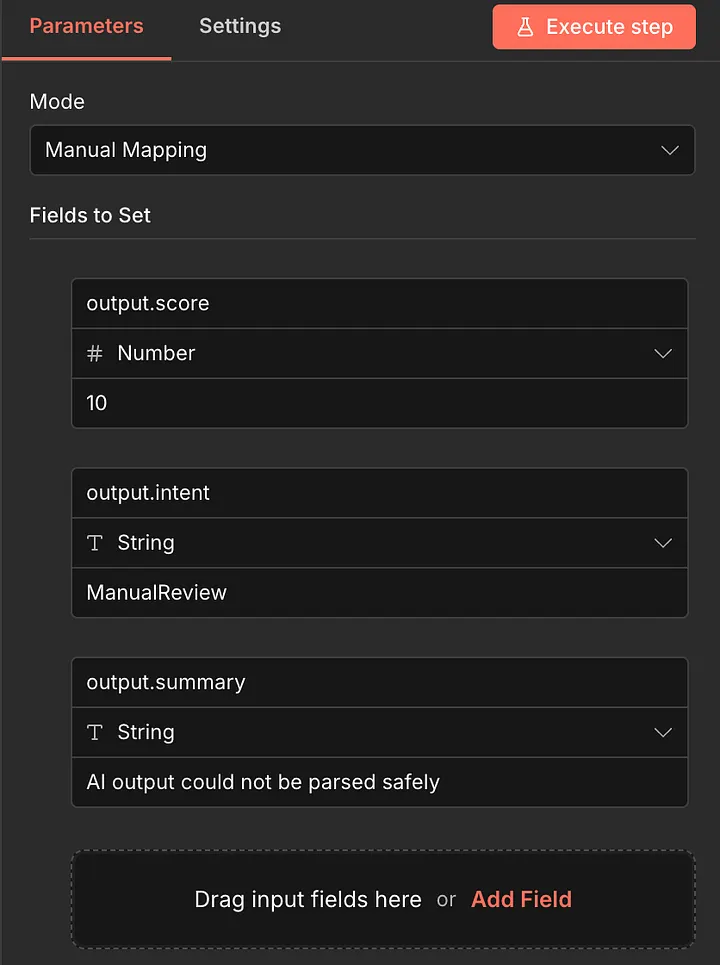
AI systems fail. Production workflows must not. If the AI's output can't be parsed, or violates the schema, the workflow assigns safe default values, routes the lead for manual review, and keeps running instead of crashing.
Step 5: Priority-based lead routing
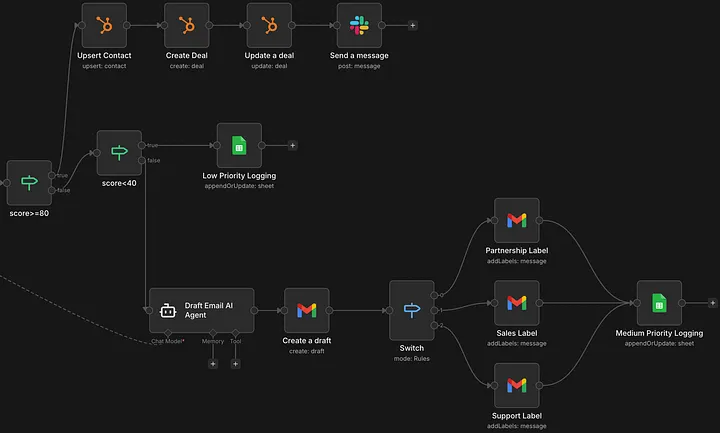
Once a safe score exists, leads get routed into three clear paths.
High priority leads (score ≥ 80) 🔥
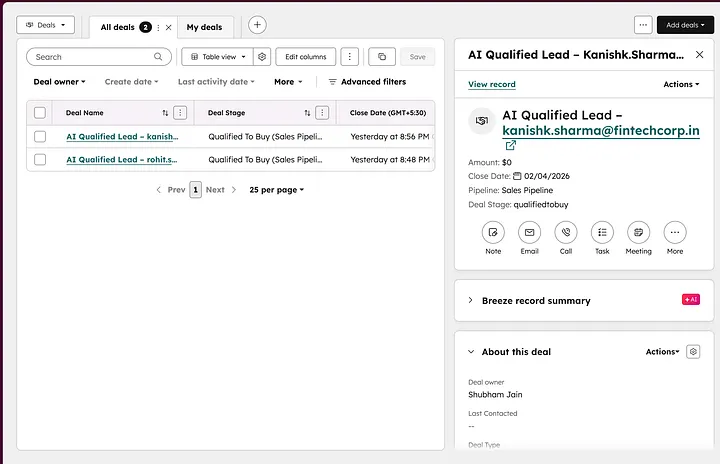
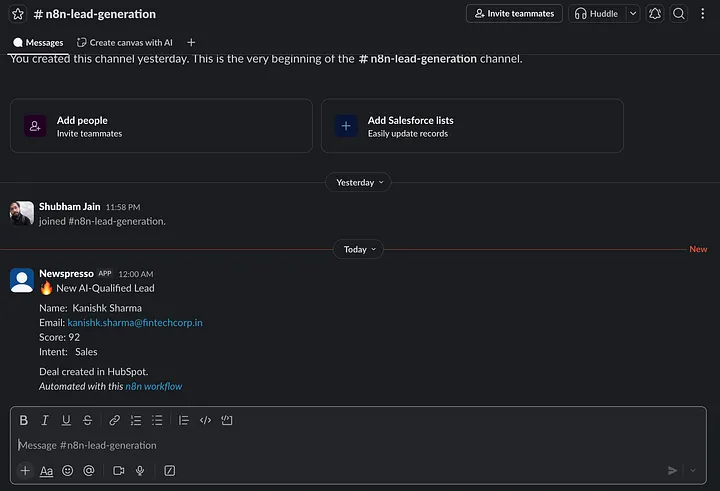
Strong buying-intent leads. For these, the workflow upserts the contact into HubSpot, creates a deal automatically, attaches the AI-generated intent/score/summary, and sends an instant Slack notification to the team — so sales acts while intent is still hot.
Medium priority leads (score 40-79) 💪🏻
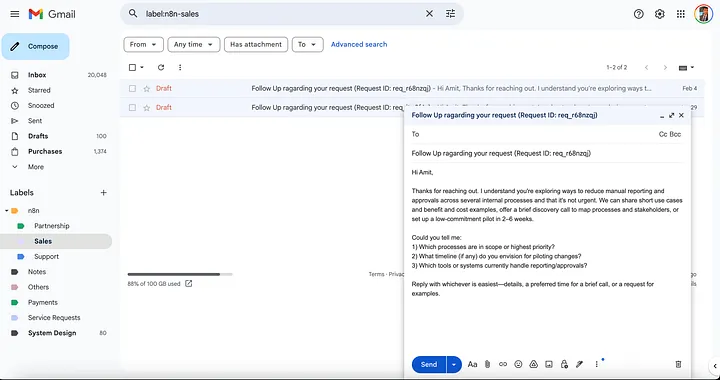
These leads need clarification, not automation arrogance. For this path, AI drafts a short, context-aware follow-up email, saved as a Gmail draft rather than auto-sent. Gmail labels get applied based on intent (Sales, Partnership, or Support), and the lead is logged for tracking — keeping a human in control while still saving the time of writing it from scratch.
Low priority leads (score < 40) 🔻
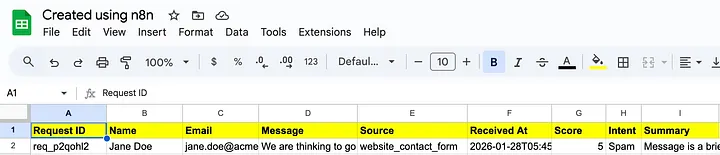
Low-intent or unclear leads are logged for analytics, and kept out of CRM, Slack, and Gmail entirely — dramatically reducing noise and distraction for the team.
Why this matters for clients
From a client's perspective, this workflow isn't about AI hype — it's about reliability, focus, and leverage. Most teams don't actually need more leads. They need faster response to the right leads, less manual effort spent on low-quality submissions, and confidence that automation won't break their core systems. This system addresses exactly those concerns.
Where this pattern is useful
This pattern isn't limited to one use case — it's intentionally reusable for SaaS inbound pipelines, agencies and consulting firms, and sales teams that need a genuinely robust automation system rather than a fragile one.
Final thoughts 💭
n8n becomes extremely powerful once you treat it like infrastructure, not just a no-code tool. This project is what AI automation should look like when it's built for real businesses.
Key takeaways
- Hard validation before any AI call is what keeps a public webhook safe — bad input gets a 400 and stops right there, never reaching the LLM or CRM.
- A structured output parser with an explicit JSON schema is the guardrail that makes an LLM's output safe to route on — free-form text isn't.
- A defined fallback (low score, ManualReview intent) for unparseable AI output is what keeps the workflow running instead of crashing in production.
- Routing by score, not just presence of a lead, is what keeps CRM and Slack signal-only — low-intent leads get logged, not surfaced to a human.
Written by Shubham Jain, Cloud Engineer at Newspresso Tech.
More posts
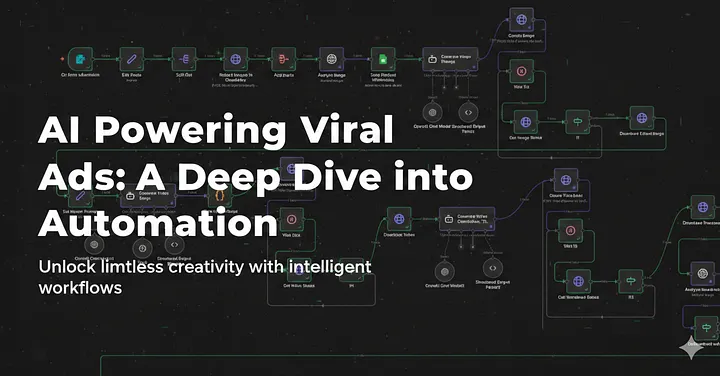
Building an AI-Powered Ad Generation System for Businesses 💸
An end-to-end n8n workflow that turns a product name, description, and a couple of photos into a fully edited, titled, thumbnailed video ad — uploaded straight to YouTube, no manual editing.
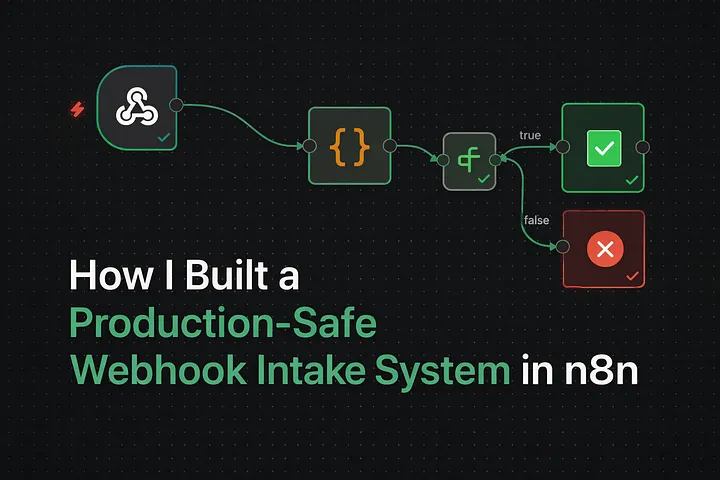
How I Built a Production-Safe Webhook Intake System in n8n
Why most automations fail before AI or CRMs ever get involved — and the defensive n8n webhook pattern that stops bad data at the door: validate, normalize, respond deterministically, no silent failures.

Improve Performance of Memory-Intensive Applications on an EKS Cluster Using Huge Pages
Why memory-heavy workloads like ML model serving get unstable under load — page table overhead, TLB misses, fragmentation — and how configuring huge pages on Karpenter-provisioned EKS nodes fixes it.