How I Built a Production-Safe Webhook Intake System in n8n
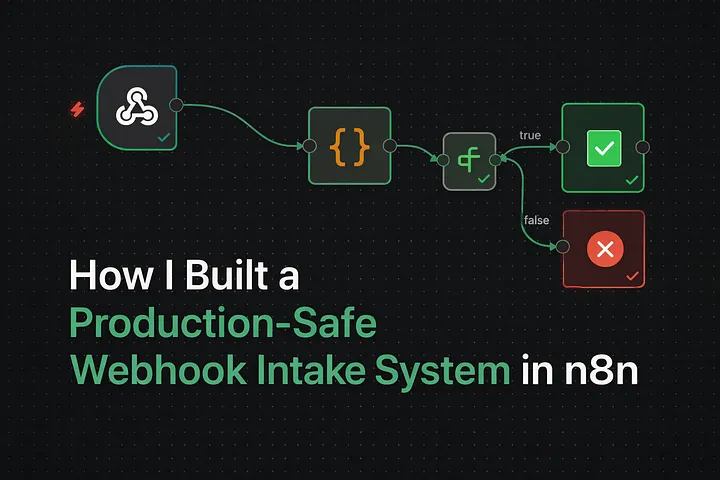
Why most automations fail — and how I design around it.
The problem nobody talks about in automation
Most automation failures don't happen because of AI, APIs, or tools. They happen because bad data enters the system unchecked. In real projects, I've seen automations fail for these reasons:
- Missing or malformed fields
- Unexpected payload shapes
- Silent webhook failures
- Dirty data polluting CRMs and analytics
Once bad data flows downstream, everything built on top of it becomes fragile. That's why, before adding AI, CRMs, or complex logic, I always start with a production-safe intake layer. This post walks through how I designed a defensive webhook intake system in n8n that behaves like a real API and protects downstream automations.
What this system is designed to do
This webhook intake system had a few non-negotiable requirements:
- Accept incoming data from external systems (forms, APIs, tools).
- Validate required fields before doing anything else.
- Normalize messy input into a predictable structure.
- Explicitly reject invalid requests with clear error messages.
- Respond deterministically — 200 on success, 400 on failure.
No silent failures. No "hope it works".
High-level architecture
Webhook
→ Validation & Normalization
→ Decision Gate
→ Success Response + Storage
→ Error Response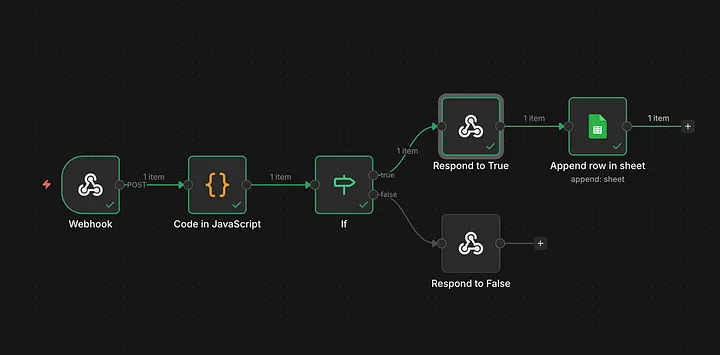
Each step is intentionally isolated, so the system stays easy to reason about, easy to debug, and easy to extend later — AI, CRM sync, scoring, whatever comes next. Let's go through each node 😄
Step 1: Webhook as a controlled entry point
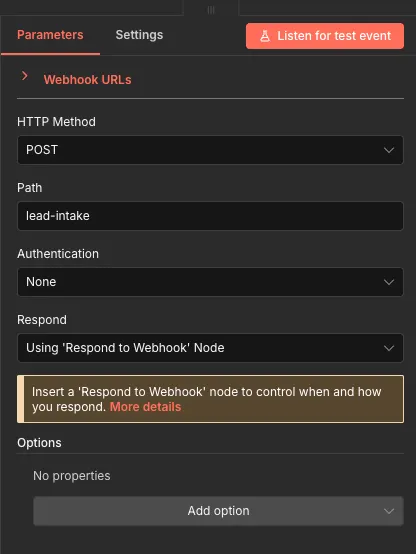
The workflow starts with an n8n Webhook node configured to accept POST requests and manually control the response using a Respond to Webhook node. That's what lets the workflow behave like a real API instead of a fire-and-forget trigger.
Step 2: Validation and normalization
All validation logic lives in one place — a single Code in JS node. It reads the incoming payload, validates required fields (name, email, source), normalizes the input (trims whitespace, lowercases emails, normalizes source names), and generates metadata like timestamps and a request ID. That separation is what keeps the routing logic downstream simple and predictable.
for (let i = 0; i < items.length; i++) {
  const root = items[i].json || {};

  const data = root.body ?? root;

  const errors = [];

  // Validation
  if (!data.name || String(data.name).trim() === "") {
    errors.push("Name is required");
  }

  const email = data.email ? String(data.email).trim() : "";
  if (!email || !/^\S+@\S+\.\S+$/.test(email)) {
    errors.push("Valid email is required");
  }

  if (!data.source || String(data.source).trim() === "") {
    errors.push("Source is required");
  }

  // Normalization / cleaning
  const cleaned = {
    name: data.name ? String(data.name).trim() : "",
    email: email.toLowerCase(),
    source: data.source ? String(data.source).trim().toLowerCase().replace(/\s+/g, "_") : "",
    message: data.message ? String(data.message).trim() : "",
    receivedAt: new Date().toISOString(),
    requestId: "req_" + Math.random().toString(36).slice(2, 9),
  };

  // Put results back on the item
  items[i].json.cleaned = cleaned;
  items[i].json.isValid = errors.length === 0;
  items[i].json.errors = errors;
}

return items;
Key outputs from this step: isValid (boolean), errors (an array of validation issues, if any), and cleaned (normalized, production-ready data).
Step 3: A single decision gate
Instead of re-checking conditions everywhere downstream, the workflow uses one IF decision gate:
IF $json.isValid === true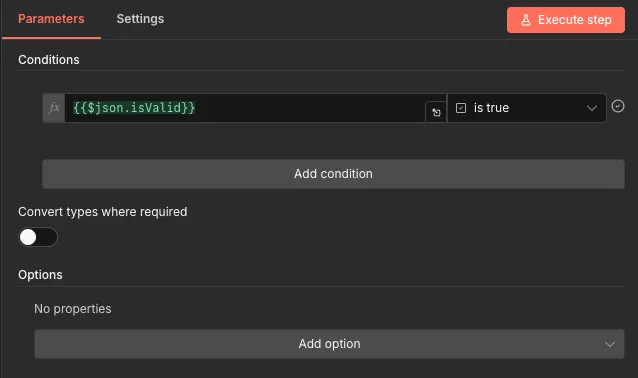
Step 4: Explicit success and error responses
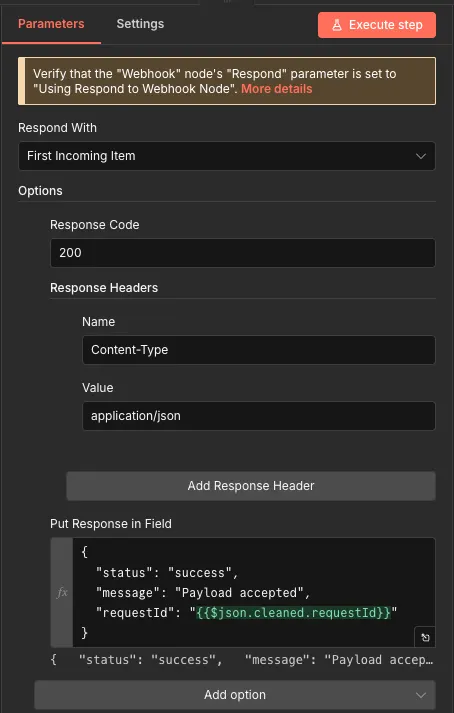
Success path (200 OK). If validation passes, the cleaned data is stored — Google Sheets, a database, a CRM; Google Sheets for this build — and a structured success response is returned:
{
  "status": "success",
  "message": "Payload accepted",
  "requestId": "req_abc123"
}
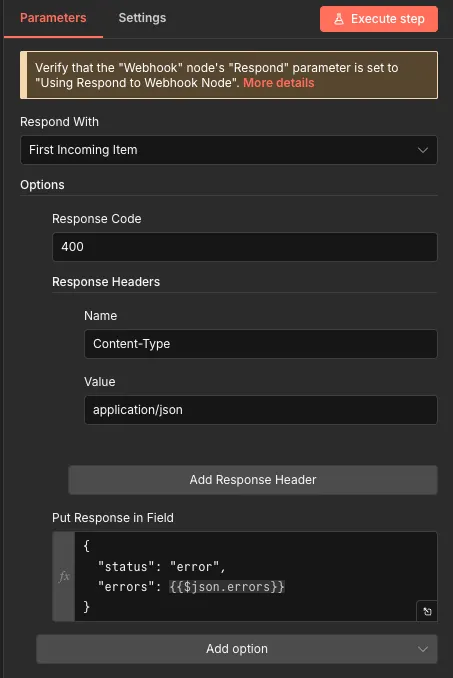
Error path (400 Bad Request). If validation fails, the request is rejected immediately and the client gets actionable feedback:
{
  "status": "error",
  "errors": [
    "Valid email is required",
    "Source is required"
  ]
}
Testing like a real API (Postman)
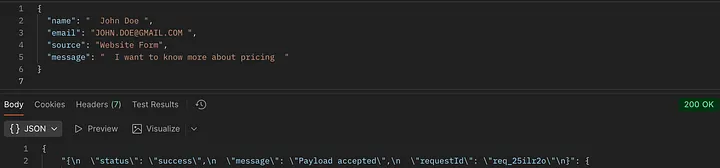
I tested webhook behavior with Postman, the same way any external system would hit it.
{
  "name": "John Doe",
  "email": "JOHN.DOE@GMAIL.COM",
  "source": "Website Form",
  "message": "I want to know more about pricing"
}
An invalid request — here, an email missing its @ — is rejected with a specific reason instead of a generic failure:
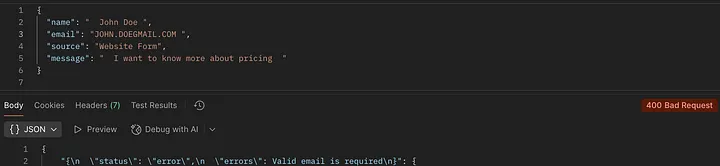
Why these design choices matter
This design solves problems I see repeatedly in client automations: bad data never reaches downstream systems, failures are explicit instead of silent, debugging is faster, and the intake pattern itself is reusable across projects. Most importantly, it creates a stable foundation for whatever comes next — AI classification, lead scoring, CRM sync, agent workflows. Without this layer, everything built later is fragile.
This is exactly the pattern a later project, an AI-powered lead qualification and routing system, builds directly on top of.

Final thoughts
Automation isn't about connecting tools quickly. It's about designing systems that fail safely, communicate clearly, and protect downstream logic. This webhook intake pattern has become a default building block in my n8n workflows — it's often the difference between a demo and a production-ready system. If you're building automations that need to be reliable in the real world, this is where I'd start.
Key takeaways
- Validate and normalize in one place, before any business logic runs — a single Code node, not checks scattered across the workflow.
- One IF gate on a single isValid boolean keeps routing deterministic — no re-checking conditions downstream.
- Every response — success or failure — is an explicit, structured shape, never an echoed-back payload or a silent drop.
- This intake layer isn't the interesting part of an AI automation — it's the precondition for the interesting part being safe to build at all.
Written by Shubham Jain, Cloud Engineer at Newspresso Tech.
More posts
How I Built an AI-Powered Lead Qualification & Routing System in n8n (Production-Ready)
A webhook-driven n8n workflow that validates inbound leads, scores intent with a guardrailed AI agent, and routes each one — CRM deal, Slack ping, drafted email, or just a log line — based on how hot it actually is.
Building an AI-Powered Ad Generation System for Businesses 💸
An end-to-end n8n workflow that turns a product name, description, and a couple of photos into a fully edited, titled, thumbnailed video ad — uploaded straight to YouTube, no manual editing.

Improve Performance of Memory-Intensive Applications on an EKS Cluster Using Huge Pages
Why memory-heavy workloads like ML model serving get unstable under load — page table overhead, TLB misses, fragmentation — and how configuring huge pages on Karpenter-provisioned EKS nodes fixes it.